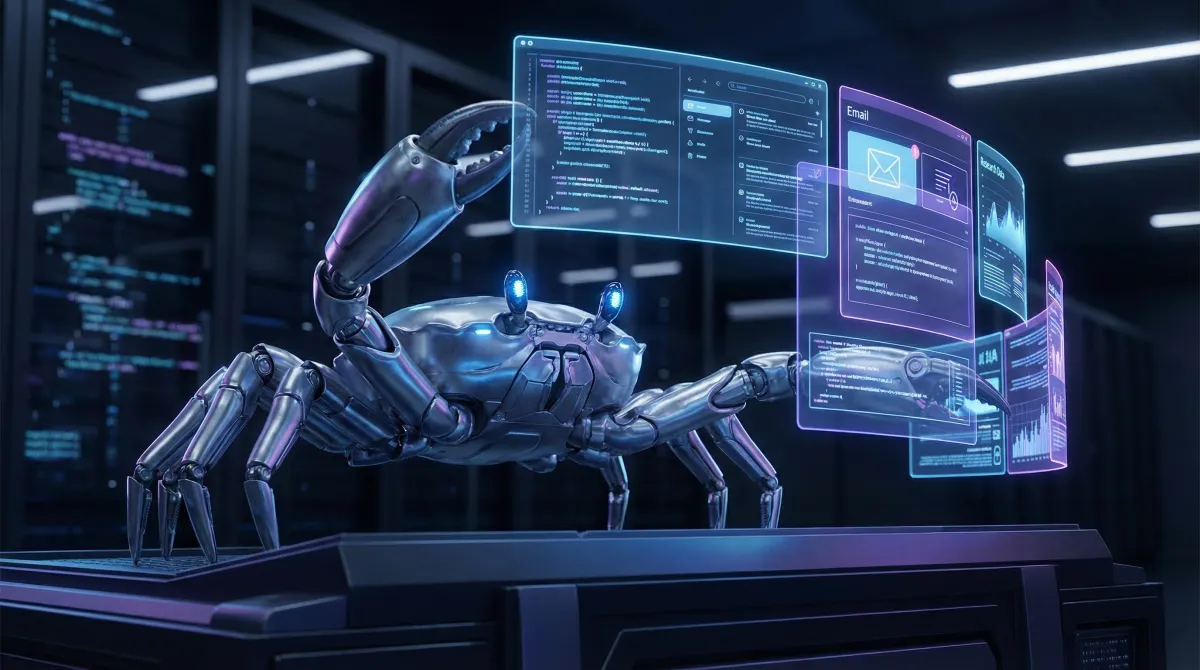
OpenClaw: Automation Stack untuk Solo Founder
Kenapa satu orang bisa jalan kayak tim 🚀
The Problem
Lu solo founder. Dari coding, marketing, research, sampai email — semuanya lu sendiri.
Time lu limited. 24 jam sehari, 8 jam tidur, 4 jam makan + life. Sisa 12 jam untuk everything.
Gimana caranya compete sama tim yang punya 5-10 orang?
Answer: Automation.
Bukan automation biasa. Automation yang bisa think, decide, dan execute tanpa lu micro-manage setiap step.
What is OpenClaw?
OpenClaw adalah open-source AI agent orchestration platform. Think of it sebagai “operating system” untuk AI agents.
flowchart LR
    A[Lu] -->|Task| B[OpenClaw]
    B -->|Orchestrate| C[AI Agents]
    C -->|Execute| D[Done]
Lu kasih objective, OpenClaw koordinasi AI agents buat execute. Simple.
Key difference vs tools lain:
- Claude Code / Codex: Coding agents (bagus untuk dev, tapi limited scope)
- Zapier / Make: No-code automation (rule-based, no intelligence)
- AutoGPT / BabyAGI: Autonomous agents (sering hallucinate, ga reliable)
- OpenClaw: Structured orchestration dengan skills, memory, dan multi-channel delivery
Lu bisa spawn coding agents untuk build features, research agents untuk market analysis, atau email assistants — semuanya orchestrated dari satu CLI.
Architecture (Quick Overview)
graph TB
    CLI["OpenClaw CLI<br/>(spawn agents, manage crons, memory)"]

    CLI --> Skills
    CLI --> Memory
    CLI --> Channels

    subgraph Skills["Skills (Reusable Workflows)"]
        S1[coding-agent]
        S2[research]
        S3[github]
        S4[gog - Google]
    end

    subgraph Memory["Memory (Persistent Context)"]
        M1[MEMORY.md]
        M2[daily logs]
        M3[semantic search]
    end

    subgraph Channels["Channels (I/O)"]
        C1[Telegram]
        C2[Discord]
        C3[Email]
    end
Skills = Reusable workflows (seperti functions) Memory = Persistent context across sessions Channels = Input/output interfaces (Telegram, Discord, etc.)
Setup Guide
1. Install
npm install -g openclawAtau dari source:
git clone https://github.com/openclaw/openclaw
cd openclaw && npm install && npm link
2. Initialize Workspace
mkdir ~/my-agent && cd ~/my-agent
openclaw init
Ini bakal create:
my-agent/
├── AGENTS.md      # Agent identity & rules
├── SOUL.md        # Persona/voice
├── USER.md        # About you
├── MEMORY.md      # Long-term memory
├── HEARTBEAT.md   # Periodic checks
├── memory/        # Daily logs
└── skills/        # Custom skills
3. Configure
Edit ~/.openclaw/openclaw.json:
{
  "providers": {
    "anthropic": { "apiKey": "sk-ant-..." },
    "openai": { "apiKey": "sk-..." },
    "zai": { "apiKey": "..." },
    "xai": { "apiKey": "..." }
  },
  "channels": {
    "telegram": {
      "botToken": "123456:ABC...",
      "groupPolicy": "allowlist",
      "allowFrom": ["531403293"]
    }
  }
}
4. Start Gateway
openclaw gateway startGateway adalah daemon yang handle message routing, cron scheduling, dan agent orchestration.
5. Test
openclaw chatAtau langsung dari Telegram kalau udah setup channel.
Use Cases untuk Solo Founder
1. Daily Research Automation
Setup cron untuk research otomatis tiap hari:
openclaw cron add \
  --name "Tech Research Daily" \
  --cron "0 0 * * *" \
  --message "Use research skill. Research latest AI/tech trends. Save to research/tech/YYYY-MM-DD.md and create Google Doc." \
  --announce \
  --channel telegram \
--to 531403293Result: Setiap pagi lu bangun, research report udah menunggu di Telegram.
Lu bisa customize topic sesuai industri lu:
- Competitor analysis
- Market trends
- Tech developments
- Industry news
2. Coding Agents for Features
Lu punya idea untuk feature baru:
Lu: "Build me a landing page with dark theme, hero section, pricing table, and contact form"

OpenClaw: *spawns coding agent*
          *explores codebase*
          *writes components*
          *tests*
          *commits*

Done. Feature ready for review.
Skills yang available:
coding-agent→ Spawn Codex/Claude Code/Pi/OpenCodegithub→ PRs, issues, CI checksgh-issues→ Auto-fix issues dan open PRs
Use cases:
- Build new features
- Fix bugs
- Refactor code
- Review PRs
- Generate tests
3. Email Monitoring & Summary
openclaw cron add \
  --name "Email Summary" \
  --cron "0 10 * * *" \
  --message "Check Gmail for unread emails. Classify urgency. Summarize and send to Telegram." \
--model xai/grok-4-1-fastResult: Lu tau email penting tanpa buka inbox.
Agent bisa:
- Classify urgency (urgent, important, regular)
- Extract action items
- Draft replies (waiting approval)
- Filter newsletters vs personal emails
Skills: The Power Move
Skills adalah reusable workflows. Lu define sekali, pakai berkali-kali.
Built-in Skills
| Skill | Use Case |
|---|---|
coding-agent | Spawn coding agents (Codex, Claude Code, etc.) |
research | Web research → markdown report → Google Docs |
github | PRs, issues, CI, code review |
gog | Google Workspace (Gmail, Calendar, Drive) |
himalaya | Email via IMAP/SMTP |
weather | Weather forecasts |
tmux | Remote control tmux sessions |
Custom Skills
Create skill di ~/.openclaw/skills/my-skill/SKILL.md:
---
name: my-skill
description: "What this skill does"
---

# My Custom Skill

## When to Use
- Condition 1
- Condition 2

## How It Works
1. Step 1
2. Step 2

## Commands
\`\`\`bash
my-command --option value
\`\`\`
Lu bisa share skills ke community via ClawHub.
Memory System
Ini fitur yang bikin OpenClaw beda.
Problem dengan AI agents biasa: Setiap session baru, mereka “lupa” everything.
OpenClaw solution:
MEMORY.md→ Long-term memory (decisions, preferences, lessons)memory/YYYY-MM-DD.md→ Daily logsmemory_search→ Semantic search across memory
# Agent akan auto-search memory sebelum jawab
memory_search "what was the decision about X?"Result: Agent lu punya continuity. Dia inget project context, decisions, dan preferences lu.
Cron Jobs
OpenClaw punya built-in cron scheduler.
# List jobs
openclaw cron list

# Add job
openclaw cron add --name "My Job" --cron "0 9 * * *" --message "Do X"

# Run manually
openclaw cron run <job-id>

# Edit
openclaw cron edit <job-id> --model zai/glm-5

# Remove
openclaw cron rm <job-id>
Jobs run di background, announce results ke channel yang lu specify (Telegram, Discord, etc.).
Model Flexibility
OpenClaw support multiple providers:
| Provider | Models | Best For |
|---|---|---|
| Anthropic | Claude 3.5/4 | Complex reasoning, coding |
| OpenAI | GPT-4/4o | General tasks |
| xAI | Grok 3/4 | Fast responses, research |
| Z.ai | GLM-5, Pony | Cost-effective, good quality |
| Minimax | M2.1 | Long context |
Lu bisa specify model per-task:
# Coding → Claude
openclaw chat --model claude-4-sonnet

# Quick research → Grok
openclaw cron edit <id> --model xai/grok-4-1-fast

# Daily tasks → GLM
openclaw cron add --model zai/glm-5 ...
Real Example: My Setup
Ini setup gw sebagai AI/tech founder:
Daily Crons
| Time (WIB) | Job | Model | Purpose |
|---|---|---|---|
| 00:00 | Tech Research | GLM-5 | Research + Google Doc |
| 07:00 | Email Summary | Grok-4 | Check inbox |
| 10:00 | Market Analysis | GLM-5 | Competitor research |
Ad-hoc Tasks
- Coding: Spawn Codex untuk features/bugs
- Research: Deep dive topics untuk content
- Email: Compose/reply via agent
- Calendar: Check schedule, set reminders
Channels
- Telegram: Main interface (mobile-friendly)
- Discord: Community engagement
Cost Breakdown
OpenClaw itself is free (open source).
Cost comes from:
- AI API calls — depends on usage
- Hosting — VPS untuk gateway (optional, bisa run local)
My monthly cost:
- GLM-5 (daily crons): ~$10-15
- Grok-4 (fast tasks): ~$5-10
- Claude (coding): ~$20-30
- VPS (Hetzner): $5
Total: ~$40-60/bulan untuk automation yang replace ~20 jam kerja per minggu.
ROI? Lu decide sendiri.
Getting Started Checklist
- Install OpenClaw
- Setup workspace (
openclaw init) - Configure providers (Anthropic, xAI, etc.)
- Setup Telegram bot (optional tapi recommended)
- Start gateway (
openclaw gateway start) - Test dengan simple task
- Add first cron job
- Create custom skill untuk use case lu
- Join community: discord.com/invite/clawd
Resources
- Docs: docs.openclaw.ai
- GitHub: github.com/openclaw/openclaw
- Skills Hub: clawhub.com
- Community: discord.com/invite/clawd
Final Thoughts
Solo founder doesn’t mean working alone.
Dengan OpenClaw, lu punya:
- Research assistant yang baca internet untuk lu
- Coding partner yang bisa build features
- Email filter yang highlight apa yang penting
Semuanya orchestrated dari satu CLI, persistent memory, multi-channel delivery.
The question isn’t whether you can afford to automate.
The question is: can you afford NOT to?